ULab help - equipment usage reports
ULab allows you to view equipment usage reports for individual or many items of equipment, which can be exported for further analysis. If charging options are set on the equipment, then invoices/ user usage reports can be viewed and exported from the system.
Advanced reporting
If your licence includes the advanced reporting add-on, you can get more detailed information about usage on your equiment.
click on advanced reporting on the equipment page:
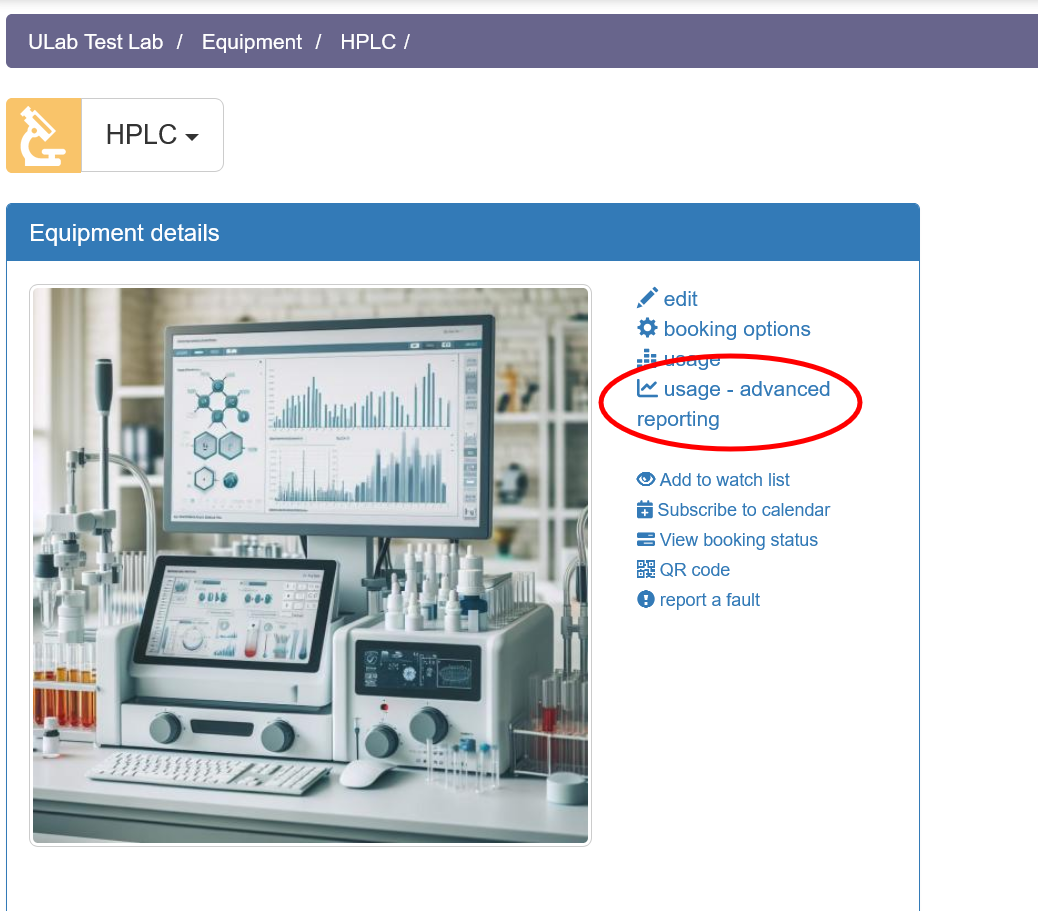
Advanced reporting makes use of one or more templates that are unique to you. This lets you assign particular user 'groups' to categorise the equipment users e.g. internal job families; students, staff, internal or external users; or a list of companies you work with. This allows you to aggregate usage data across these chosen categories.
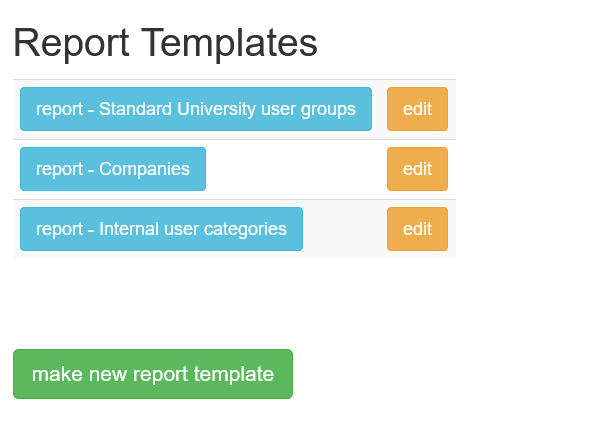
The first time you use advanced reporting, click the make new report template button to add a new report.
You can then name your report template, and set up the categories you wish to group users into.
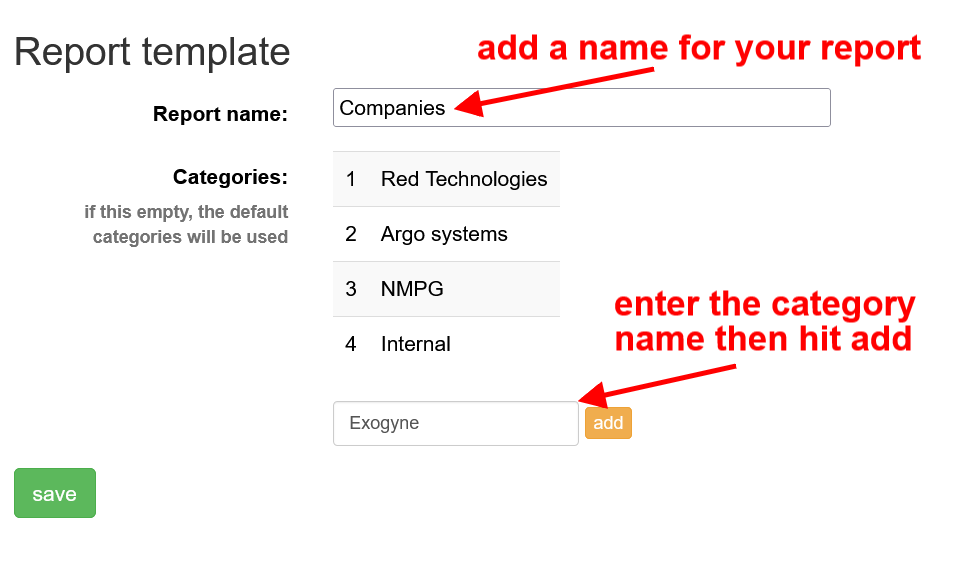
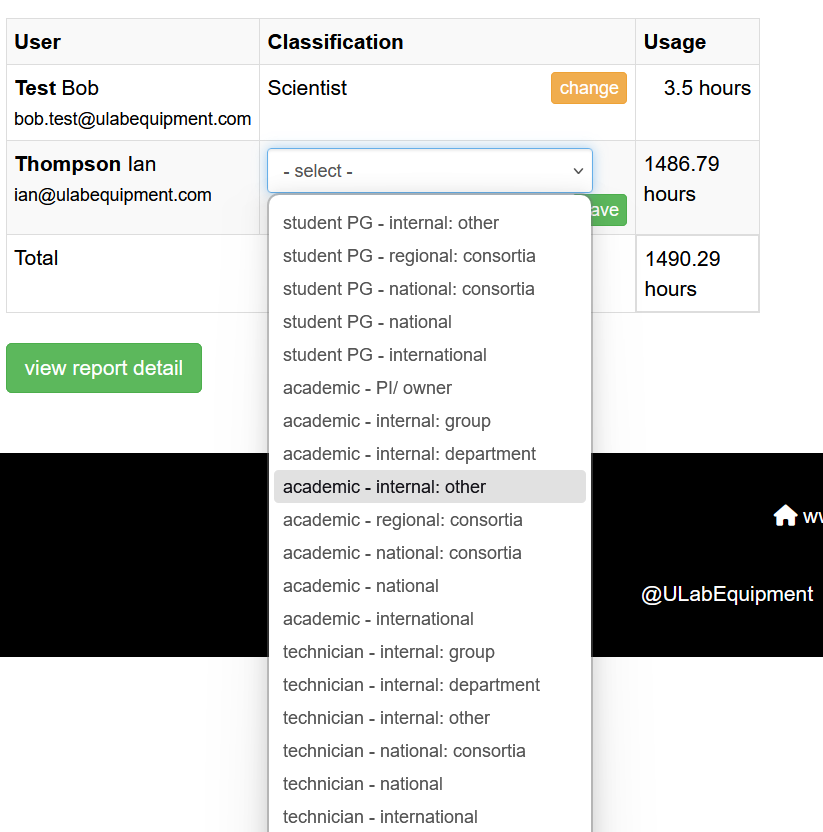
If you don't enter any categories, the template will default to using a comprehensive list of options which cover academic (student UG/PG, staff, researchers) and technical/commercial (technician, researcher, scientist) including internal/external classifications to meet typical UK RC requirements.
You can create multiple templates so that you can use different categorisations for different requirements. Templates are linked to your account, so can be used on any equipment item report.
Once you have your template, click on the template name and you can then run the report
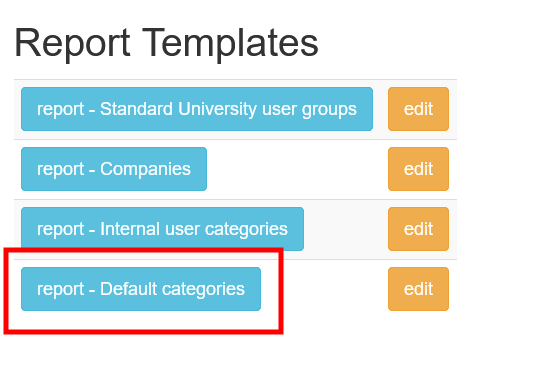
Select the date range you are interested in:
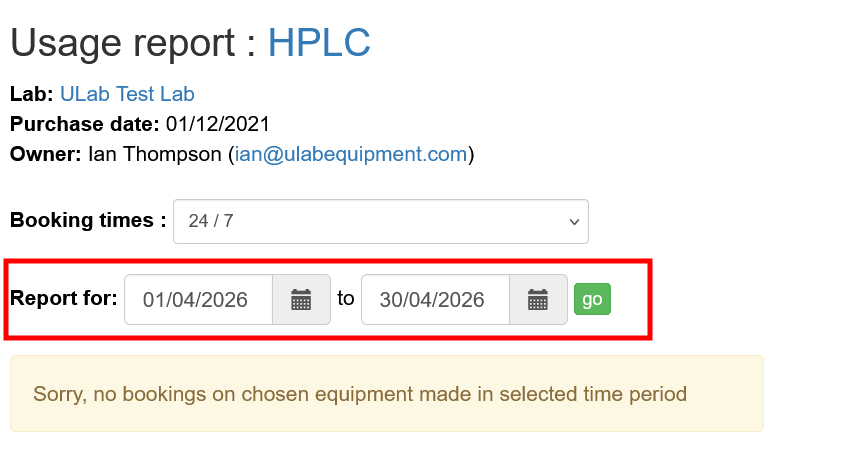
then click go
The report will capture all the uses who used the equipment in the selected date range. You can then assign one of your categories to the user:
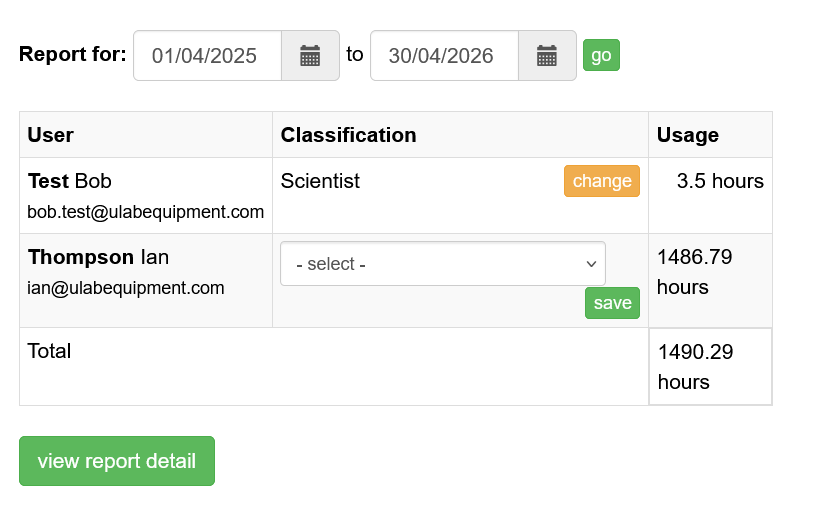
If you created your own categories, these will appear in the drop-down, otherwise it will be pre-populated with the default list:
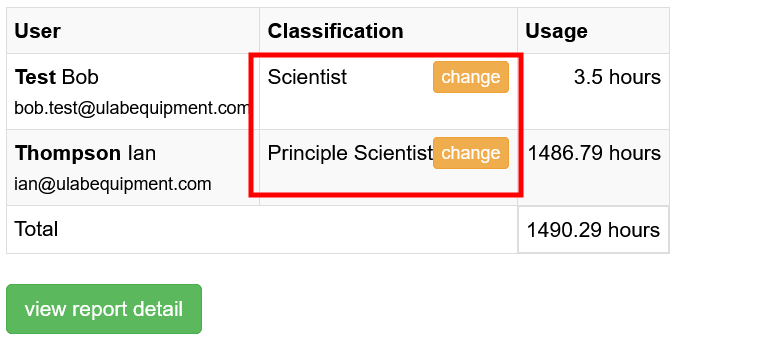
You can click change to modify the category the user is assiged to.
- Once you have 'tagged' a user to a category, the system will remember that user's category for the template which can be used to report against any equipment item.
- If you use another template, you can select an alternative category for that user, allowing you to set up different categories for particular reporting requirements.
For example. Bob is categorised as a 'Scientist' in one template, but as 'Red Technologies' in another, allowing you to generate reports with different category classifications:
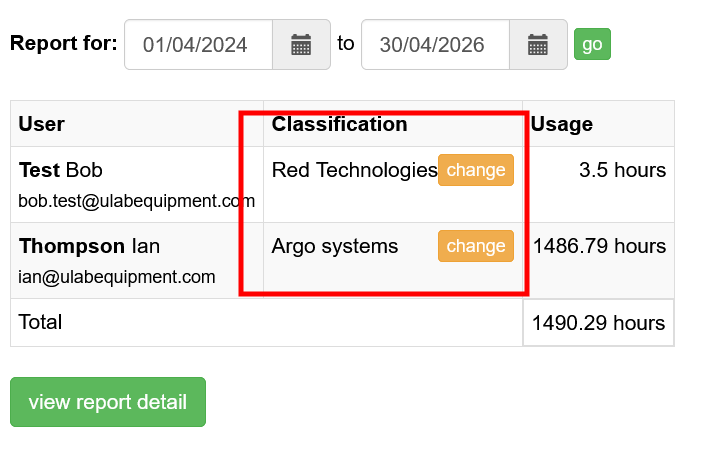
Once you have set a category for each user, click the view report detail button.
The system will generate the report, giving category totals and general equipment stats (usage, uptime, downtime, user data) as well as individual usage for the selected date range.
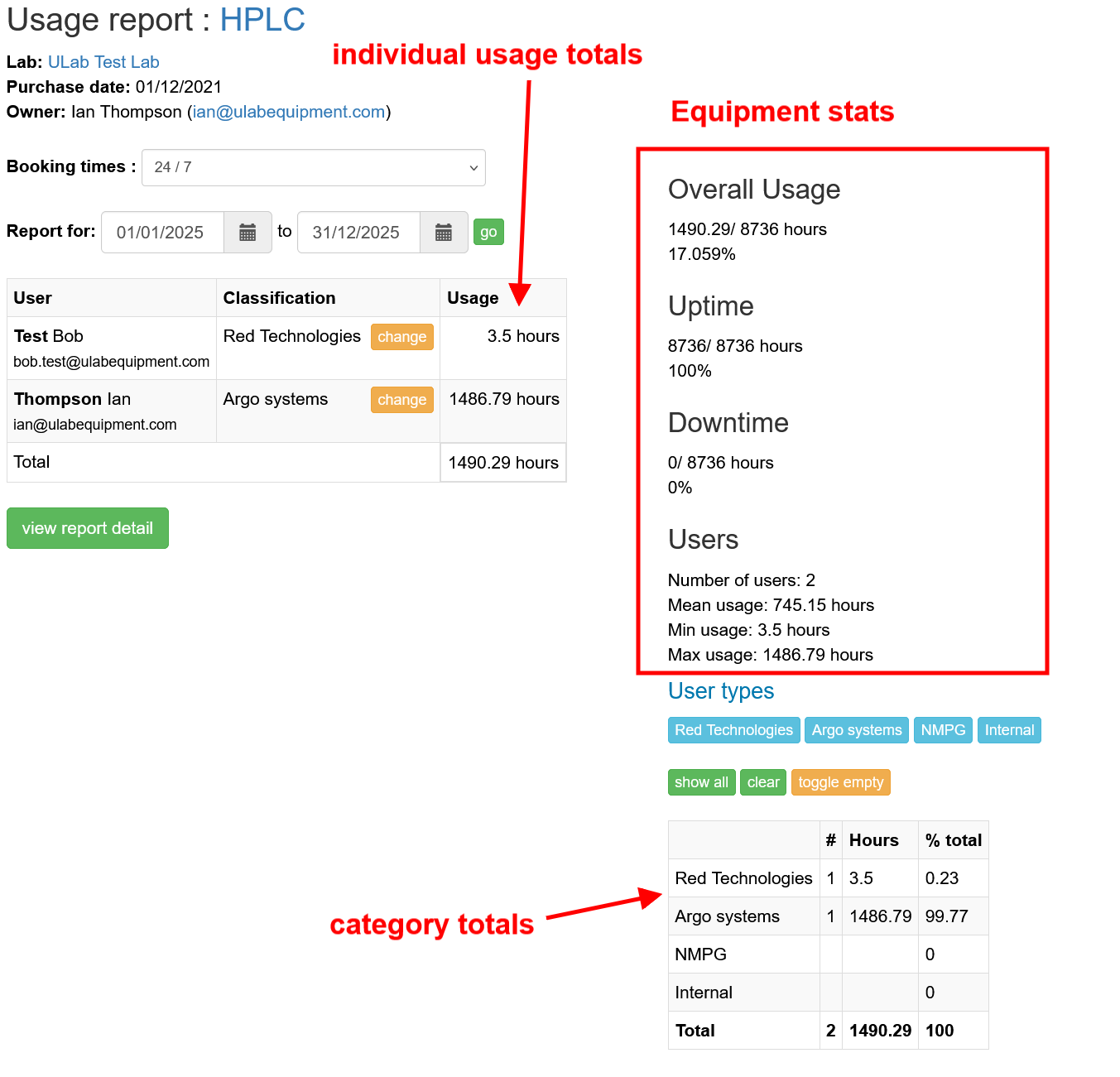
You can also limit the category totals to selected categories:
- click clear
- cick the blue category item to add the category